Open source · MIT · Figma Desktop
design:os Figma plugin
An open source Figma plugin and a local CLI bridge that let an AI agent inspect and edit the Figma file already open in Figma Desktop while the designer keeps working in it.
- Stars
- 11
- Forks
- 1
- Open issues
- 16
- License
- MIT
- Language
- TypeScript
- Last push
- 2026-09-25
Source: the repo's own GitHub API, observed 2026-10-01.
At a glance
- License
- MIT
- Requires
- Node.js 22, Figma Desktop with edit access
- Editors
- Figma, FigJam, Slides
- Transport
- Localhost WebSocket, ports 9410–9419
- Runs a model
- No, bring your own agent
Three walls
What it removes
- One giant undo step
- An agent's session of automated changes usually collapses into a single undo step, so undoing one mistake undoes the whole session. Here every mutating command seals its own undo step, and pressing undo rolls back one change.
- Edits the code never sees
- A human moves a component or renames a layer, and whatever registry an agent builds from keeps reading the old state. Every designer edit is captured live, and once the file goes quiet the panel offers it back as one prompt: N changes ready, Sync now.
- Two hands, one file
- Both sides editing at once produces half-applied scripts, overwritten changes, and no record of what happened. Mutations are jobs: one runs per file at a time, and the rest queue in order in a FIFO.
Setup
Install once
Clone and build
From the repo root. Node.js 22 is the CI-tested runtime.
git clone https://github.com/jangtrinh/design-os-figma-plugin.git
cd design-os-figma-plugin
npm ci
npm run build
Import the manifest
In Figma Desktop: Plugins, then Development, then Import plugin from manifest, and select plugin/manifest.json.
Open a scratch file
For the first run, open the imported plugin in a scratch Figma file, not a client file.
Scratch file first
First safe use
Connect
Start or wait for a connection, and confirm status reports the scratch file you opened.
node "$PWD/cli/dist/figma-agent.js" status --wait --timeout 60Read one selection
Select a frame, copy its instanceId from status, and make the first read-only request against that exact instance. An empty selection returns no nodes.
node "$PWD/cli/dist/figma-agent.js" get-selection --instance "<instanceId-from-status>"Write one frame
Optional, and only in a scratch Figma file: create a frame on that same instance.
node "$PWD/cli/dist/figma-agent.js" create-frame --name "Agent scratch" --w 320 --h 200 --instance "<same-instanceId>"
--instance prevents ambiguity when several files share a name. Read the JSON reply before proceeding: it is the record of what the bridge actually selected or changed.
Four commands
A practical loop
figma-agent get-selection --instance <instanceId>
Serializes the current selection.
figma-agent context <nodeId> --instance <instanceId>
Returns the Inspect panel's own CSS declarations, the variables and styles each node binds, text, and component properties for that node's subtree, as data, not generated React or Tailwind code.
figma-agent changes --owner-only --dir <projectDir> --file <feed>
Reads the owner-edit feed for a bound project, and works even with the plugin closed.
figma-agent install-skill
Writes the generated skill to Claude Code's ~/.claude/skills by default, for an agent integration.
The panel, captured
What it looks like
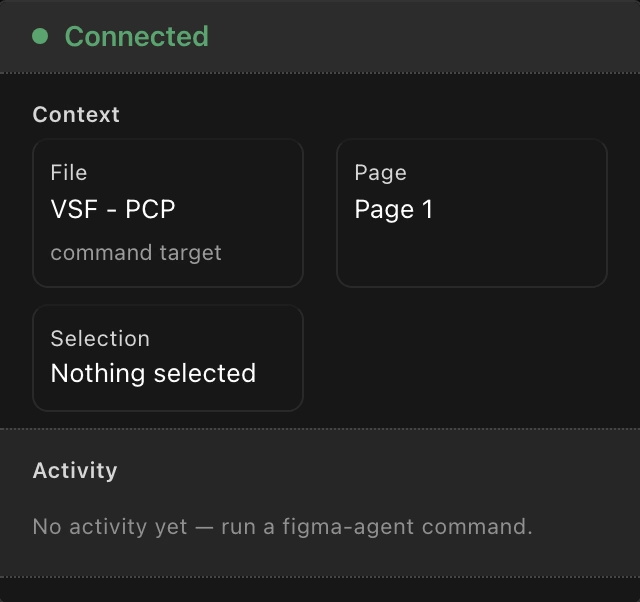
The panel connected to the file: a context card showing the file, page and selection, and an empty activity feed.
Capture from the plugin's own documentation. Source document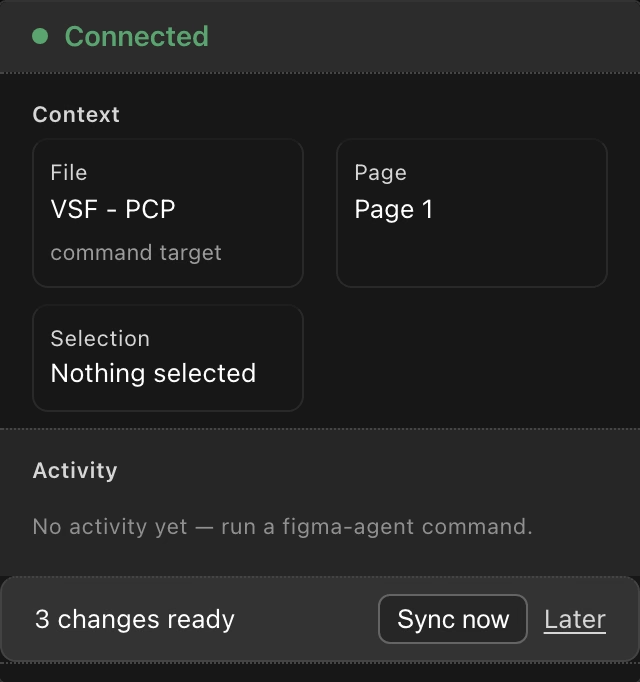
The same panel offering a designer's edits back as one prompt: 3 changes ready, Sync now or Later.
Capture from the plugin's own documentation. Source document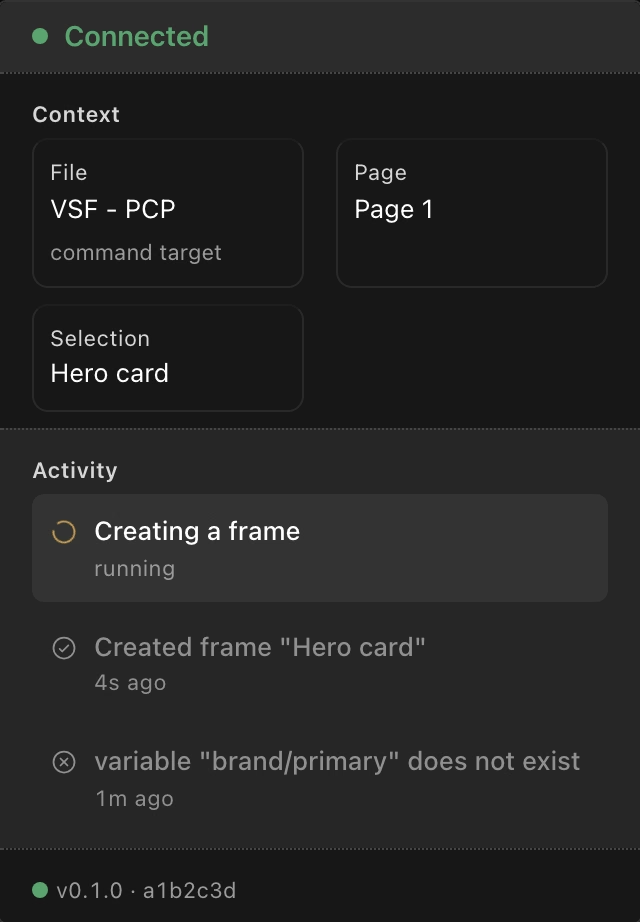
The activity feed narrating a running command: a created frame, a refused variable name, and the footer's build number.
Capture from the plugin's own documentation. Source documentPart 2 · one real client file
Running a design system through it: the VSF-PCP file
A real client file, ten apps, worked through the plugin and its own agent skill from 2026-06 onward: every capture below is exported from it with figma-agent export-png at a small scale on purpose, so what it shows is the structure of the work and not the client's content.
Source: figma-agent scan of the VSF-PCP Design system page, 2026-09-15, 13.1 seconds
A · the design system
One file, ten apps
The curated registry describing all of it is deliberately thin. It calls itself a decision file, not a catalog: counts, ids and variants are generated into a separate inventory file straight from the canvas, and the curated file holds only owner rulings, reasons and bans.
A lint enforces that split, and regeneration is cheap enough that the rule is to regenerate unconditionally at the start and end of every build wave rather than track staleness.
- Scanned in 13.1 seconds
- The 2026-09-15 scan that produced every count above read the whole Design system page in 13.1 seconds.
- Regenerate, never track
- Regeneration takes about 9 seconds for the whole file, so it runs unconditionally at the start and end of every wave, with no staleness threshold to get wrong.
- Capped at 300 lines
- The curated file is blocked from growing past 300 lines, and from ever containing a node id, a date heading, or a hand-typed count.
Population of one file, scan 2026-09-15
Count of objects on the Design system page
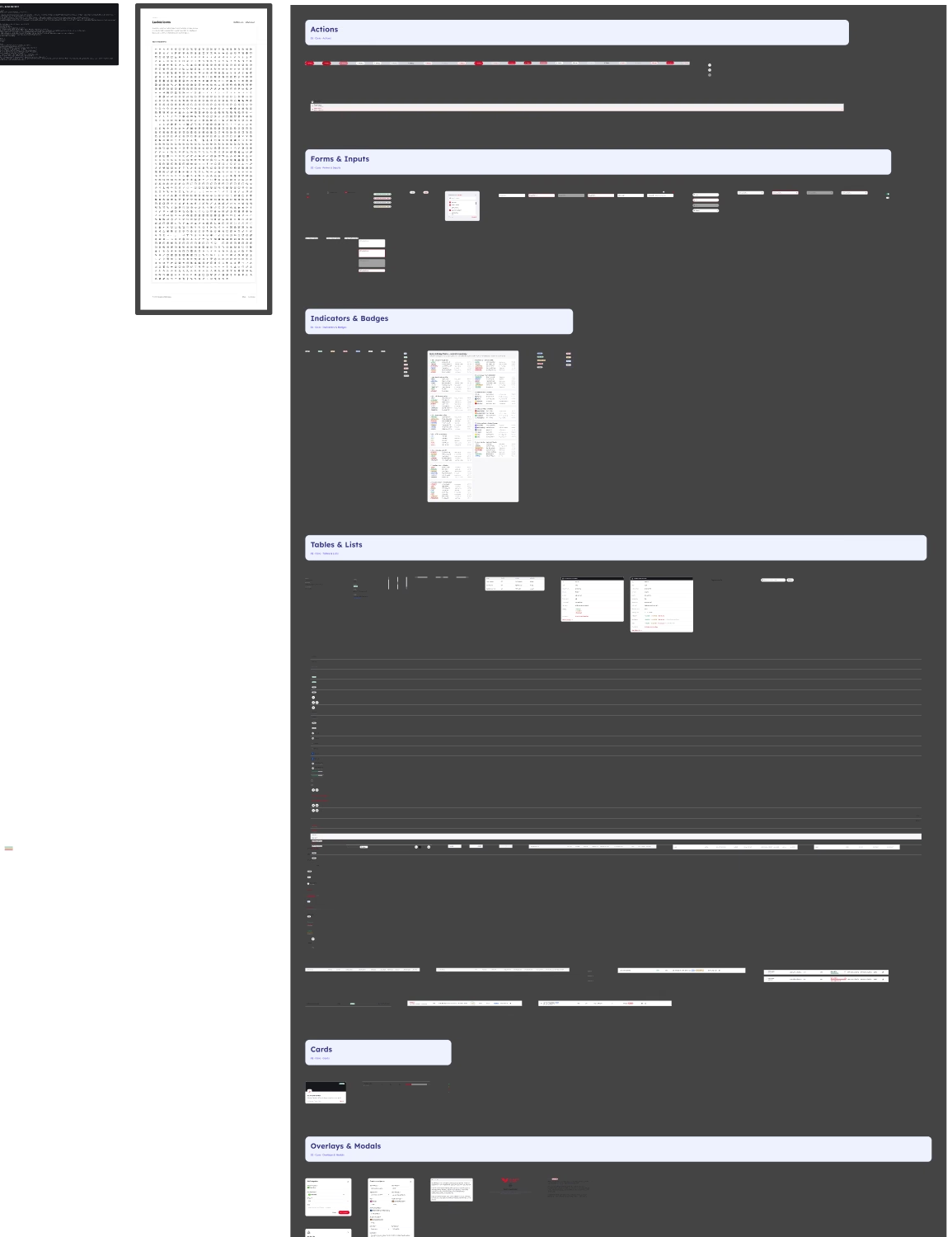
The Core section of the design system page: Actions, Forms and Inputs, Indicators and Badges, Tables and Lists, Cards, and Overlays and Modals, the primitives every app in the file shares. The full board measures 8000 by 41136 pixels; this capture is the top of it at a tenth of the size, cropped where the Cards band begins.
Exported from the VSF-PCP Figma file with figma-agent export-png, zoomed out. Source document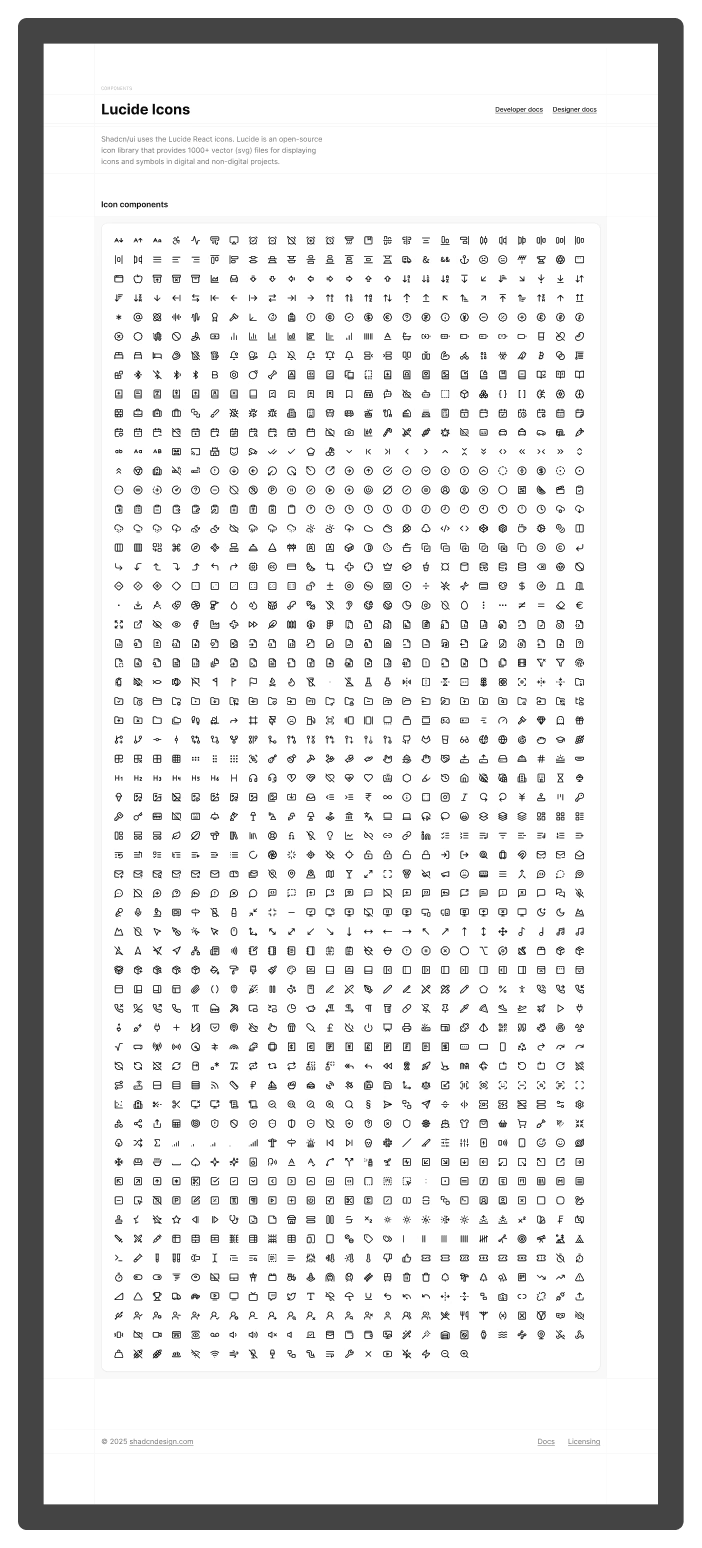
The Foundations section: one board holding the file's whole icon library, hundreds of glyphs laid out together.
Exported from the VSF-PCP Figma file with figma-agent export-png, zoomed out. Source documentB · context and the ledger
The file carries its own context
The file documents itself from the inside, and decisions live the same way: one append-only file per app, every row coded and dated.
A correction never promotes itself into knowledge either. A designer's live edit is logged and quarantined, not auto-applied as a new rule, until the project's own governance gate promotes it.
- READ ME FIRST
- A frame in its own Start Here section: a read-first list, a map of where every section lives, the canonical templates to copy from, and a digest of the file's hard rules, all readable without leaving Figma.
- Struck through, never rewritten
- One row in the PCP ledger, coded W2-PCP-2, still carries its original text struck through, followed by a note that a BA comment flipped it on 2026-09-08.
- Context compressed to 0.1744
- Outside Figma, a .brv context tree condenses small memory notes into dated summary nodes: one measured example took 8 source files and 3933 tokens down to 686.
- FACT, INFERENCE, ASSUMPTION, UNKNOWN
- Before any mutating action the working discipline is that same four-way ledger.
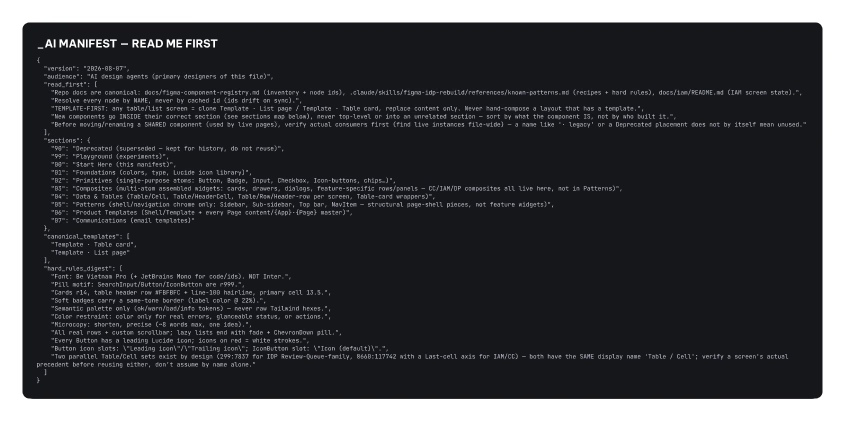
The in-file manifest frame, titled READ ME FIRST: a read-first list, a map of where every section lives, the canonical templates to copy from, and a digest of the file's hard rules, all readable without leaving Figma.
Exported from the VSF-PCP Figma file with figma-agent export-png, zoomed out. Source document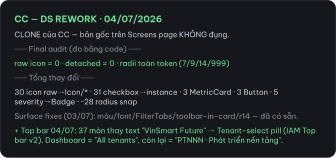
An on-canvas changelog card from the Compliance Center app, dated, recording a design system rework: final audit counts, what changed, and the surface fixes that followed.
Exported from the VSF-PCP Figma file with figma-agent export-png, zoomed out. Source documentC · a request arrives
Classify, then climb the ladder
No single document narrates this reasoning: it is reconstructed from the file's operating gates and real comment-thread resolutions.
One trace shows the ladder working end to end. A comment asking that add-ons render as chips rather than a plus-sign string was traced to a new table-cell variant, Type is TwoLine plus Tags, and a new chips slot on the existing composite Fact row. Both changes were logged against the comment id, not just the screen.
- Classify first
- DEFECT means fix the master, MISSING TYPE means extend the family with a new variant, and DIFFERENT NATURE is rare: a genuinely different composition that has to be proven. A per-screen one-off is never an acceptable fourth option.
- Then climb the ladder
- Reuse an existing component, override an instance, add a variant, and only as a last resort create a new one, which for a shared master needs owner approval.
- users: 0 is not deletable
- A usage query that failed to run must be recorded as unknown, because collapsing a failed query to zero risks deleting a component the owner is deliberately keeping.
- Composites count too
- A frame named like a component but never typed as an instance is a reuse violation on its own.
- Changed back twice is intent
- A value the owner changes back twice after it was set is read as owner intent: stop fixing it, check the decision ledger, ask once, and lock the ledger.
D · a PRD arrives
Scope in and out, then shell plus slot
The file's clearest PRD-driven build treats its source PRD as literal: a single Markdown file at the client repository's root, cross-checked against a Vietnamese prototype the file itself calls a BO concept demo, not a spec. That prototype survives only as reference: 73 of its screenshots are kept on canvas as dated Ref frames for traceability, never as the thing actually built.
Scope is split before anything is drawn. The PRD's own section names an overview and a golden-paths catalog as in, and puts global search, an AI assistant, the Compliance Profile and Matrix, recall and cancel, in-app approval, a role toggle and every database add-on but Aurora PostgreSQL out.
- 50 artboards, 19 masters
- The first wave under this discipline shipped that count, dated 2026-09-12.
- A page is never one component
- Every screen is the shared shell with one page-specific master dropped into its slot, which is what makes a shell change reach every screen at once.
Two operations, every screen
Instance the shared Shell / Template component.
Swap its Slot / Page content to a screen-specific master.
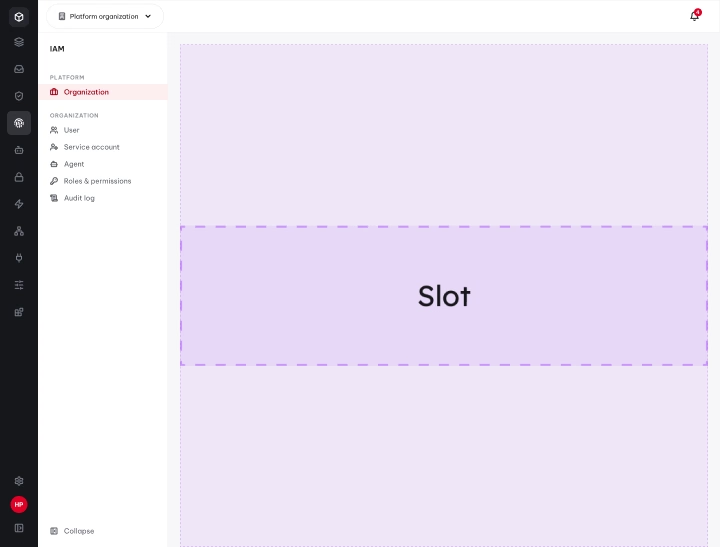
The Shell / Template frame with its dashed Slot for page content: drawing a screen is instancing this shell, then swapping its slot, never building a whole page as one component.
Exported from the VSF-PCP Figma file with figma-agent export-png, zoomed out. Source document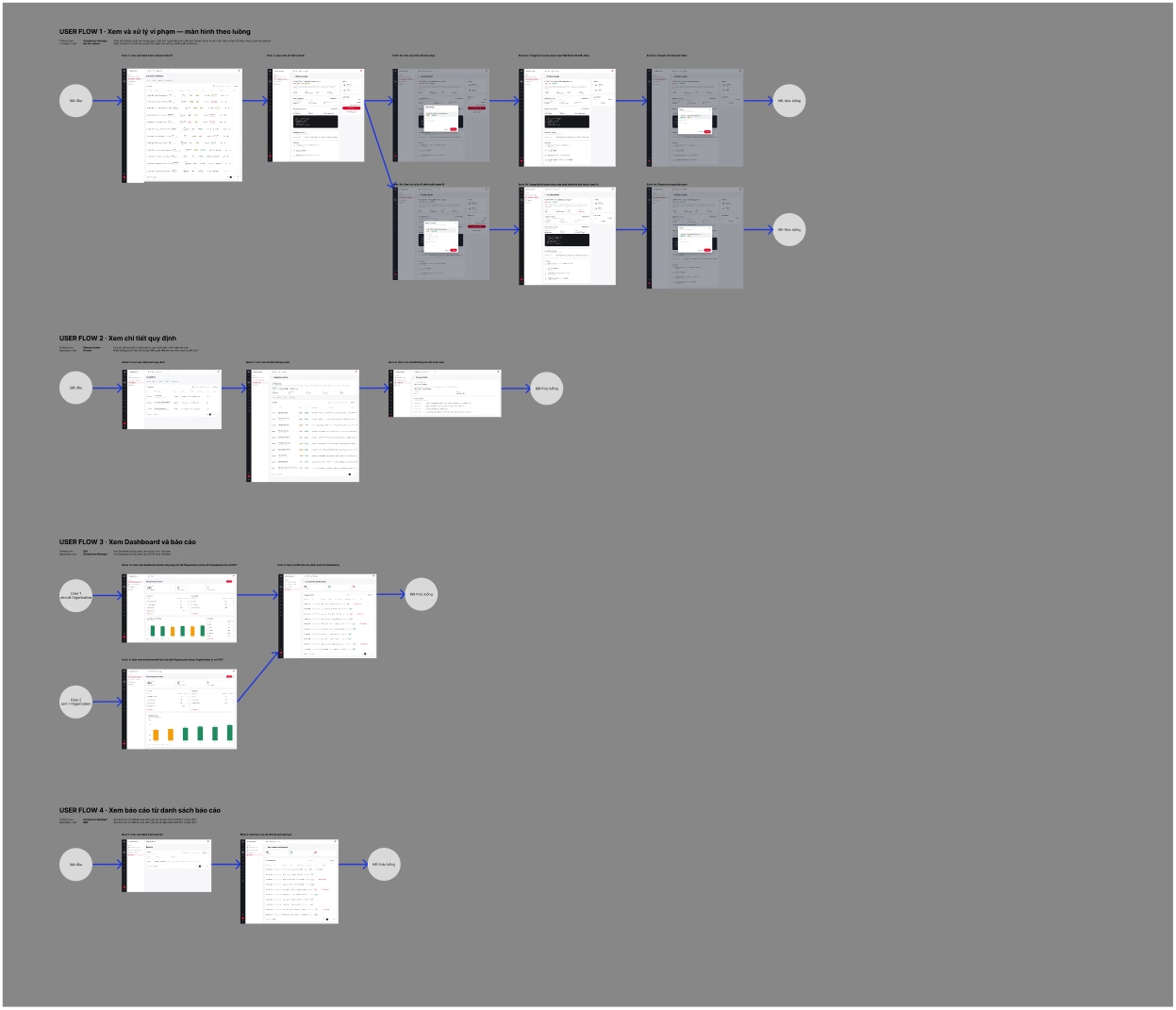
A user-flow board for the Compliance Center app: screen thumbnails wired together with connectors and step markers, the kind of board a PRD wave gets scoped against before anything is drawn.
Exported from the VSF-PCP Figma file with figma-agent export-png, zoomed out. Source document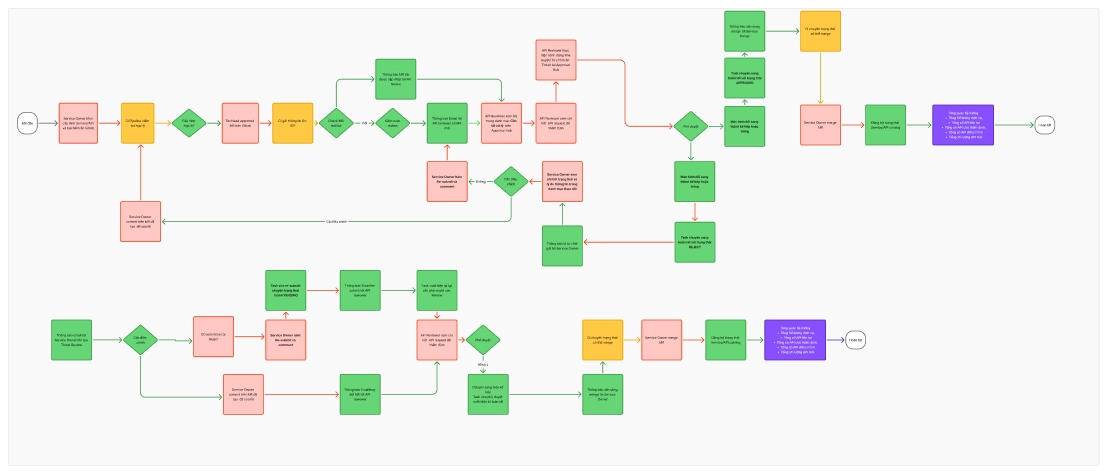
A flow chart board for the IDP review flow: decision diamonds and coloured state nodes, the same PRD-to-screens discipline applied to a different app.
Exported from the VSF-PCP Figma file with figma-agent export-png, zoomed out. Source documentD2 · anatomy of one screen
Anatomy of one screen: the layer tree
A read-only capture of one real production screen, Shell · service-advanced on the V-Builder page, taken with the plugin's own exec-js against the live node. It makes section D concrete: the root is itself an instance of Shell / Template / Scope=Organization at 1920 by 1260, and drawing it really was an instance plus one slot swap, not a page built from scratch.
Every repeating leaf is a named master, never a raw shape: the sidebar's app entries, the ten apps plus Setup Workspace, are eleven instances of NavItem, one State=active and the rest State=default. Nothing sits at an absolute position; every frame and instance declares its own auto-layout mode and its own sizing on each axis.
- INSTANCE
Shell · service-advanced· masterShell / Template / Scope=Organization·layoutModeHORIZONTAL · sizing FIXED/FIXED · 1920×1260- INSTANCE
Sidebar· masterSidebar / IDP / Mode=Collapsed·layoutModeVERTICAL · sizing FIXED/FILL · 76 wide- INSTANCE
NavItem × 11 (State=default × 10, State=active × 1)· masterNavItem, one variant per app plus Setup Workspace
- INSTANCE
- FRAME
Content·layoutModeVERTICAL · sizing FILL/FILL- INSTANCE
Top bar· masterTop bar / Scope=Organization·layoutModeHORIZONTAL · sizing FILL/FIXED - FRAME
Body·layoutModeHORIZONTAL · sizing FILL/FILL- INSTANCE
Sub-sidebar / V-Builder· masterSub-sidebar / V-Builder / Active=Golden paths·layoutModeVERTICAL · sizing FIXED/FILL · 260 wide - INSTANCE
Page content / VB · wizard-service-advanced· masterPage content / VB · wizard-service-advanced·layoutModeVERTICAL · sizing FILL/HUG · 1584 wide
- INSTANCE
- INSTANCE
- INSTANCE
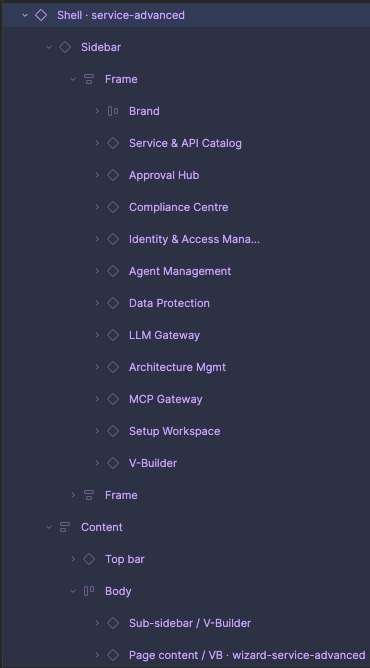
The layers panel for the same screen: the Shell instance, Sidebar (Brand plus eleven NavItem instances) and Content (Top bar, Body holding Sub-sidebar / V-Builder and Page content / VB · wizard-service-advanced).
The owner's capture of the Figma layers panel. Source documentE · componentize
Normalize first, extract on the third repeat
Turning a repeated pattern into a real component is gated, not casual, because construction debt multiplies through every future instance.
The master itself is always lifted from a live instance, never a stale one: the live instance carries the overrides the owner actually approved.
- Lint before minting
- Zero spacer frames, zero 1px fillers, spacing only through auto layout.
- Extract on the third repeat
- A pattern built inline the first two times is normal, and only earns its own component on the third.
- Lift from a live instance
- Clone it off canvas, detach it twice (the shell, then its content), then build the component from that clone.
- 89 nested cards to 0
- A full-v2 cleanup wave on 2026-09-16 flattened card-in-card construction debt across 21 masters, by promoting the repeated pattern into first-class table and column components instead of leaving copies inline.
- Pin, then fill
- After combining masters into variants their FILL widths collapse to about half. Pin every variant to a fixed width matching the slot, then set the slot itself back to FILL.
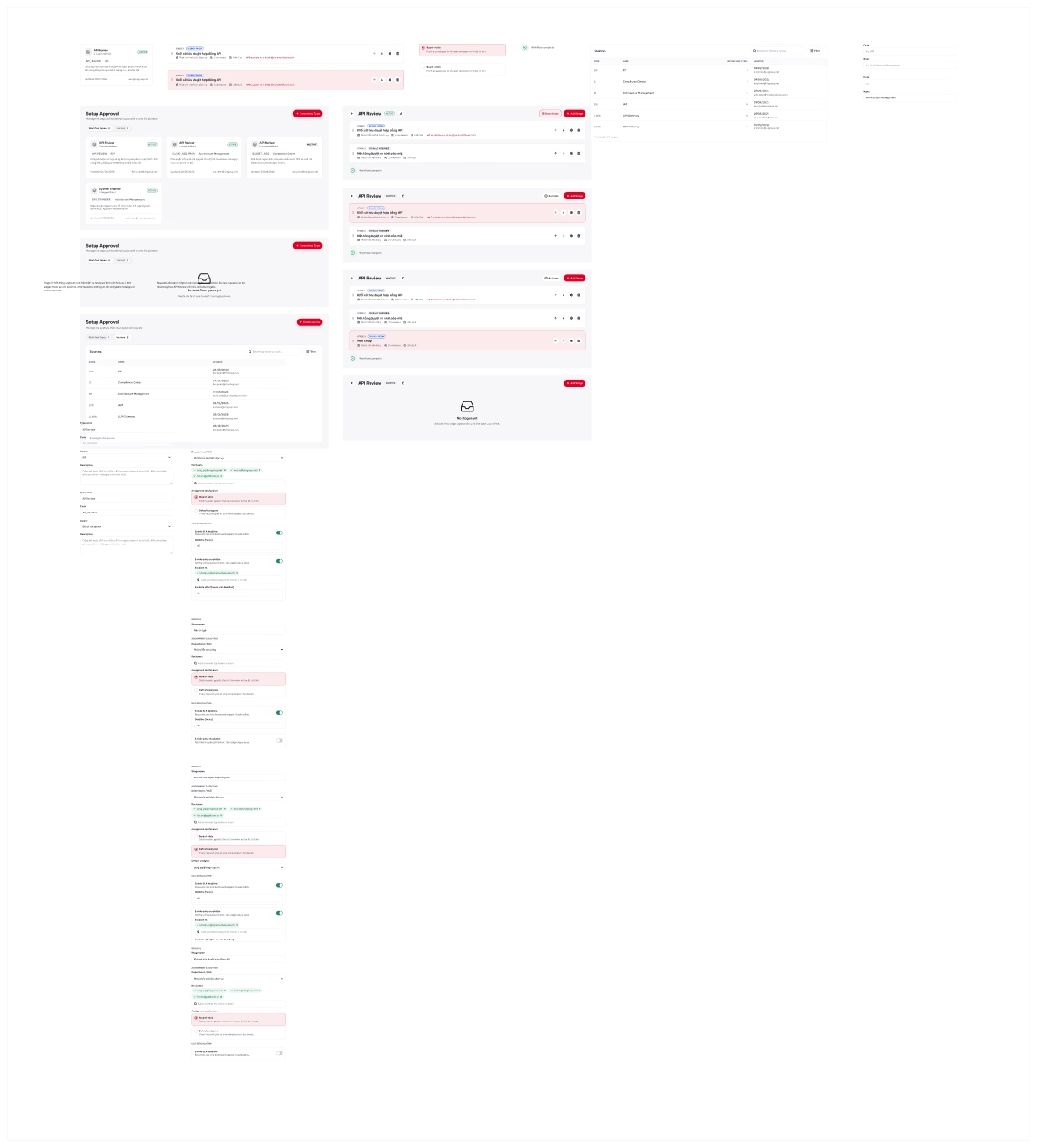
The minted component masters for one PRD wave in the IDP and Approval Hub app's Setup Workspace, laid out together as a family once they were lifted out of live instances.
Exported from the VSF-PCP Figma file with figma-agent export-png, zoomed out. Source documentF · nested components
Column-first tables, frozen geometry, variant matrices
The file's deepest, most repeated nested pattern is the column-first table. Alignment follows from its construction rather than from a row-by-row check: a head and its cells share one column frame, so they cannot drift apart.
The most expensive lesson paid for in this pattern is that geometry inside an already deployed instance is frozen.
- Column-first table
- A table card holds a horizontal row of columns; each column is a vertical stack with one fixed width and one fill, carrying its own head and N cell instances.
- Frozen inside an instance
- resize, setProperties and swapComponent on a node inside a live instance all silently no-op, so a chart whose bars vary by data point bakes each dataset as its own variant on the master. Applied to the LLM Gateway chart components across rounds 14 to 15, dated 2026-09-12.
- Matrix caps
- Building a variant matrix mechanically is a cartesian product of axes, hard-capped at 100 combinations, with a size warning above 40.
- Slots are not nesting
- Figma's own Slots, generally available since June 2026, let a component expose a named hole an instance fills with its own content, separate from swapping a nested instance.
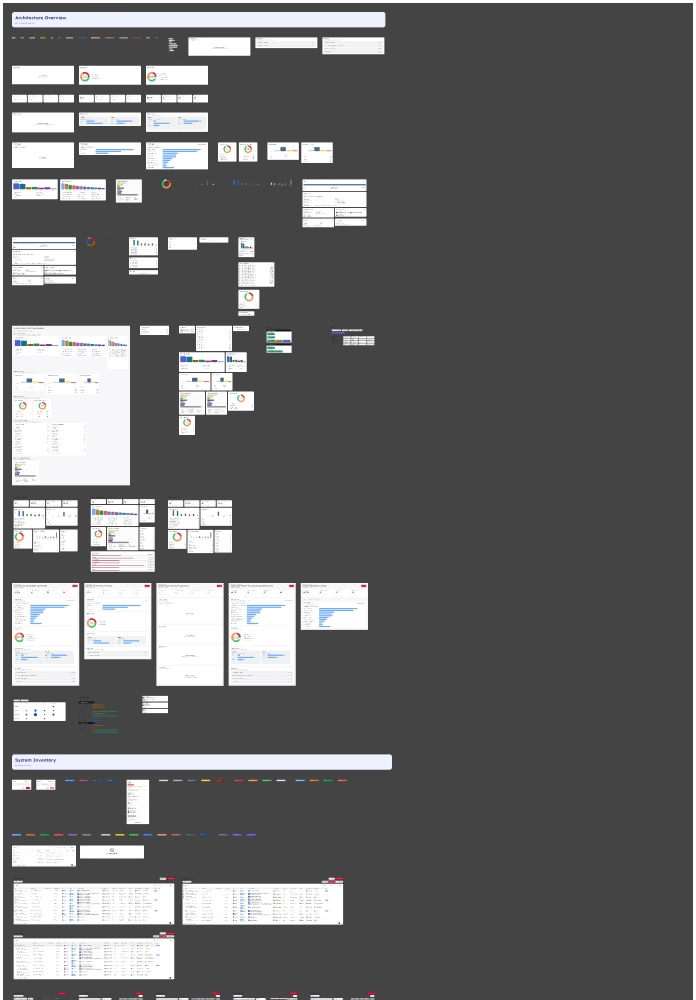
One app's whole component family, the AM app, laid out in a feature-row arrangement. The full board measures 13840 by 54057 pixels; this capture is the top of it at a twentieth of the size.
Exported from the VSF-PCP Figma file with figma-agent export-png, zoomed out. Source documentG · gates
Four layers between a mistake and the owner
The system tracks one health metric: defects the owner had to catch personally. Four catch layers stand in the way, in order: the machine gates, the agent's own three-layer self-verify, a separate curator layer that samples PNGs by eye, and the owner, who is meant to catch nothing twice.
That last machine layer exists because four real incidents on this file passed every numeric assert and were caught only by eye, including a script that ran blind past a top-level const and still reported success, and a PNG that looked aligned while hiding a bug that quietly drifted every row.
- Three layers, in order
- Node-read asserts, re-checked in a fresh call for any structural change because a same-call re-fetch can lie; then numeric geometry asserts for overlap, collapse and drift no larger than half a pixel; then a freshly rendered PNG read by a human eye.
- An empty check set throws
- A gate must throw rather than silently pass when its own filtered check set is empty: a filter that matches nothing and still reports a pass is a false green in its own right.
- Audit gate G7
- One named example, a sizing contract on the file's drawers: a drawer instance's height must equal its artboard's height, and its body must fill vertically inside the shell.
- Assert, then capture
- The plugin's own export-png folds a structural check and the capture into one call. It runs the assert script read-only first and writes the PNG only if that assert passes, so a file on disk always means the structural check held.
When a defect still reaches the owner
Fix the defect on canvas.
Extend an existing gate, or add a new one.
Add a negative test that proves the new gate fails on that exact defect.
Log a changelog entry and bump the gate suite's own version.
Four measured drops
Owner-caught defects
70
defects per wave · across 4 waves
Nested cards
890
card-in-card instances · 21 masters, 2026-09-16
Worst stall at plugin open
0.3 to 1.5 s44 ms
milliseconds · 21 pages, 418,000 nodes
Store reads, 200-change batch
4002
reads · same file
H · a campaign day
One day, timed
The most granular timed log in the file is a single knowledge-graph campaign day, 2026-09-07, drawn below on its own clock.
Nothing in that run was estimated after the fact. Every row is a timestamp from the campaign's own plan file, and so are the two figures that bracket it: the estimate going in, and the acceptance at the end.
- Wave 2, into the next day
- A follow-on deep dive ran past midnight and finished 2026-09-08 at 01:45: 106 of 106 batches ok, 460 screens, and 573 raw questions distilled down to 56 owner-answered decisions.
- Lineage
- The underlying skill dates its rules to real incidents across the 2026-06 to 2026-08 campaigns, consolidated into a reusable skill on 2026-08-07 and extended into v1.1.0 on 2026-09-03.
One campaign day, 2026-09-07
Clock time, one day, no compressed gaps
- 09:50Schema and contracts ready
- 10:2012-screen fixture validated
- 10:40591 screens dumped, 591 PNGs exported
- 12:00Inference across 48 sections done
- 14:25Owner questions and answers closed, 10 apps
- 14:35Docs rendered
- 15:55Acceptance passed, 25 of 25
What it does not promise
Safety boundaries
- Sealed, not locked
- Built-in mutations are normally sealed into their own undo step, but they still need review: per-file FIFO serialization orders bridge mutations and reads bypass that queue entirely, so it is not a lock against a designer's manual edits.
- Rollback is opt-in
- exec-js --undo-group can group a script and attempt rollback when that script errors, and reports a completed rollback only when the rollback actually finished. It cannot stop a running script after a CLI timeout: split long scripts and inspect the file before retrying.
- Gap-fill is bounded
- When the panel reconnects, large pages may be represented by top-level fingerprints rather than a full node-by-node diff. status exposes the coverage and the errors observed.
- An unknown outcome stays unknown
- A dropped connection can leave a mutation outcome unknown. A timeout hands back a job id: poll it, inspect the file, and follow the reported recovery guidance instead of blindly replaying the command.
Pause every mutation on one file
The gate is a command, not a setting: it names the raw Figma fileKey and holds until it is lifted.
node "$PWD/cli/dist/figma-agent.js" mutation-gate pause --file-key "<raw-Figma-fileKey>"
Two Macs, one file
Working from more than one computer
Ignore what is per-machine
Secrets, settings.local.json, session archives and every raster verify shot stay on disk. The Figma file is the source, and a verifier always takes a fresh capture.
Sync the rest on a timer
One git-auto-sync.sh script, registered with launchd on each Mac, rebases for a linear history and skips when offline or when another tool holds the repo.
Split roles, not files
The laptop is where the owner reviews and decides. The desktop runs a maker worker and an independent verifier, each in its own worktree.
Take --instance from the machine you are on
Every Mac has its own broker and its own instanceId for the same file.
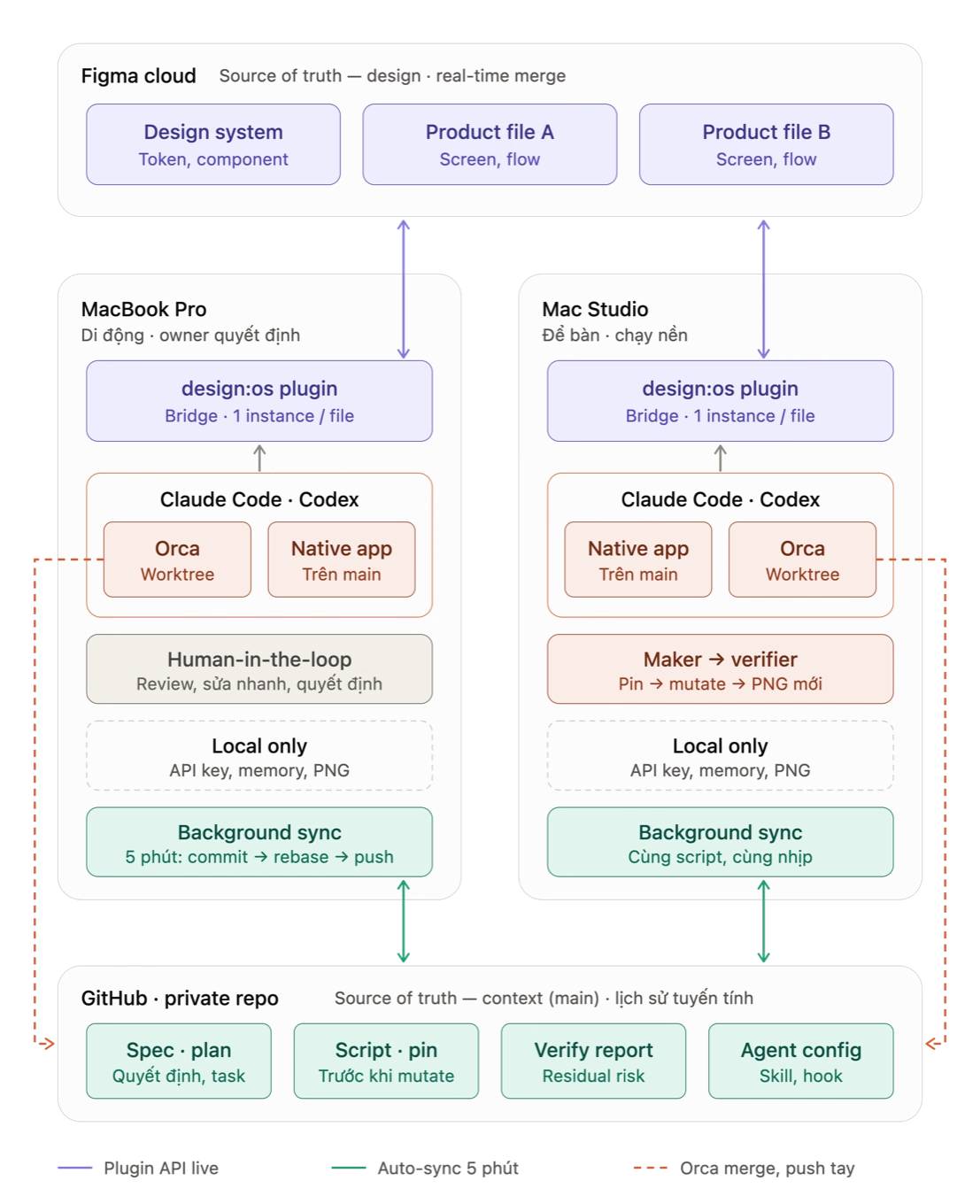
How the plugin keeps two machines in sync through one Figma file. The drawing's own labels are in Vietnamese: Figma cloud at top holding a design system and two product files, two Macs below it each running the plugin, Claude Code, Codex and Orca worktrees, all backed by a private GitHub repo that syncs every five minutes.
The plugin's own documentation, docs/multi-machine-setup.md. Source documentNot a replacement
Where Figma’s official MCP fits
- This bridge
- A local control surface for a trusted, desktop-open-file workflow: a plugin in Figma Desktop and a CLI on the same machine.
- Figma's MCP
- A remote workflow, better when that is the fit: it supports reads and writes, design-to-code, and Code Connect, and the remote server can work without Figma Desktop.
If you arrived here looking for a Figma MCP alternative: they can coexist. This project does not claim to be faster, cheaper, or more accurate than MCP; it gives a different local control surface. Figma access and your agent and provider costs remain separate considerations.
Eleven questions
FAQ
Is it on Figma Community?
No. It is a development plugin imported from its own repository through Plugins, Development, Import plugin from manifest, not a hosted service or a published Community plugin.
Does it run or pay for a model?
No. The CLI and broker do not run a model; you choose and pay for your own agent or provider separately.
Which agents can use it?
Any shell-capable agent, through the manual command reference. For Claude Code specifically, install-skill writes a generated skill to ~/.claude/skills by default.
Does it need Figma edit access?
Yes: the bridge requires Figma edit access for writes and an imported plugin running in Figma Desktop.
Can the agent undo its own work?
Yes, for typed mutations: each one seals its own undo step. A script run with exec-js --undo-group reverts itself on error, but it cannot stop a running script after a CLI timeout.
What happens on a dropped connection?
A dropped connection can leave a mutation outcome unknown. Poll its job, inspect the file in Figma, and follow the reported recovery guidance instead of blindly replaying it.
Does it replace Figma's official MCP?
No. They can coexist: this bridge suits a trusted, desktop-open-file workflow, while Figma's remote MCP server suits reads and writes, design-to-code, and Code Connect without Figma Desktop open.
Where does a designer's edit end up?
Once a Figma file is bound to a project with figma-agent bind, its captured edits are readable with figma-agent changes --owner-only, and the panel offers them back as one Sync now prompt. Accepting it runs the deterministic kernel over the ledger, with no model in that path, and the bind decides which project's registry the edit lands in, never wherever a process happened to start from.
Can it run a whole design system, not just one frame?
Yes: a real client file run through it for ten apps held 25 pages, 140 sections, 276 component sets, 1452 variants and 2002 components by a 2026-09-15 scan, all described by a curated registry capped at 300 lines that regenerates from the canvas in about 9 seconds.
How are design decisions recorded?
In a plain append-only file per app, one coded and dated row per decision. A reversed decision is struck through and annotated, never rewritten, and every mutating action follows the same FACT, INFERENCE, ASSUMPTION, UNKNOWN discipline before it runs.
How does it verify what it drew?
Through a three-layer self-verify: node-read asserts re-checked in a fresh call, numeric geometry asserts with drift no larger than half a pixel, then a freshly rendered PNG read by a human eye. On one real campaign, owner-caught defects fell from 7 to 0 across 4 waves once this system ran.
Read next